How to Start Publishing on Amazon KDP: Beginner's Guide
Everything first-time publishers need: setting up your KDP account, the tax interview, uploading your first book, and dodging the rejections that stall most beginners.
Amazon Kindle Direct Publishing (KDP) lets anyone publish a real, physical book that Amazon prints and ships on demand — no inventory, no printing bills, no gatekeepers. This guide walks you through the entire setup, from creating an account to seeing your first coloring book live in the store, including the tax and formatting steps where most beginners get stuck.
Why a Coloring Book Is the Perfect First KDP Book
KDP hosts every kind of book, but coloring books occupy a sweet spot for first-time publishers:
- No manuscript. You don't write 50,000 words — you assemble 30–60 illustrations. With AI tools, that's hours, not months.
- Evergreen demand. Parents buy them year-round; adults buy them for stress relief. The market doesn't depend on trends or launch spikes.
- Simple production. Black-ink interior, standard trim sizes, no complex typesetting. The whole spec fits in one formatting guide.
- Fast feedback loop. You can go from idea to published in a weekend and learn from real sales data instead of guessing.
What You Need Before You Start
Have these ready and account setup takes under 30 minutes:
- An Amazon account (your regular shopping account works)
- Government ID details (name, address, date of birth)
- Tax identification: SSN/EIN for US publishers, or your local tax ID (TIN) otherwise
- A bank account for royalty deposits — in your name, in a supported currency
Step 1: Create Your KDP Account
- Go to
kdp.amazon.comand sign in with your Amazon account (or create one). - Accept the KDP Terms of Service.
- Complete the three setup blocks on your dashboard: Author/Publisher information, Payment information, and Tax information. KDP won't pay you until all three are done.
- Turn on two-step verification — publishing accounts are common hijacking targets.
Step 2: Pass the Tax Interview (Easier Than It Sounds)
The "tax interview" is a guided form, not an interrogation. It determines how much US tax Amazon withholds from your royalties.
- US publishers: enter your SSN (or EIN if you have a business). Amazon generates a W-9 automatically. No withholding applies.
- Non-US publishers: the interview produces a W-8BEN. Enter your local tax ID and the form applies your country's tax-treaty rate to US sales automatically — many countries (UK, most of the EU, Ukraine, Japan) drop the default 30% withholding to 0–10%.
- Individual vs. business: choose "Individual" unless you already have a registered company. You can update this later; most publishers start personal.
Validation is usually instant, occasionally up to a few days if your name and tax ID need manual matching. You can keep working on your book while it processes.
Step 3: Set Up Payments
Add a bank account for each marketplace group, or let one account receive all currencies if your bank supports it. Royalties arrive by direct deposit roughly 60 days after the end of the month in which a sale happens — a January sale pays at the end of March. That lag is normal; plan around it.
Step 4: Prepare Your Book Files
KDP needs exactly two PDFs for a paperback coloring book:
- Interior manuscript — your coloring pages at final trim size (8.5×11" is the standard), 300 DPI line art, correct margins, single-sided layout with blank backs so markers can't ruin the next design.
- Wraparound cover — front, spine, and back as one PDF, sized to your exact page count.
The precise numbers (trim sizes, bleed, margins by page count, spine math) live in our KDP formatting spec sheet. For the illustrations themselves, you have three routes: draw them, hire an illustrator ($200–800 per book), or generate them with AI — see how to make a coloring book with AI for the honest comparison.
Step 5: The Publishing Flow, Screen by Screen
Click Create → Paperback on your Bookshelf. KDP walks you through three screens:
Screen 1 — Paperback Details
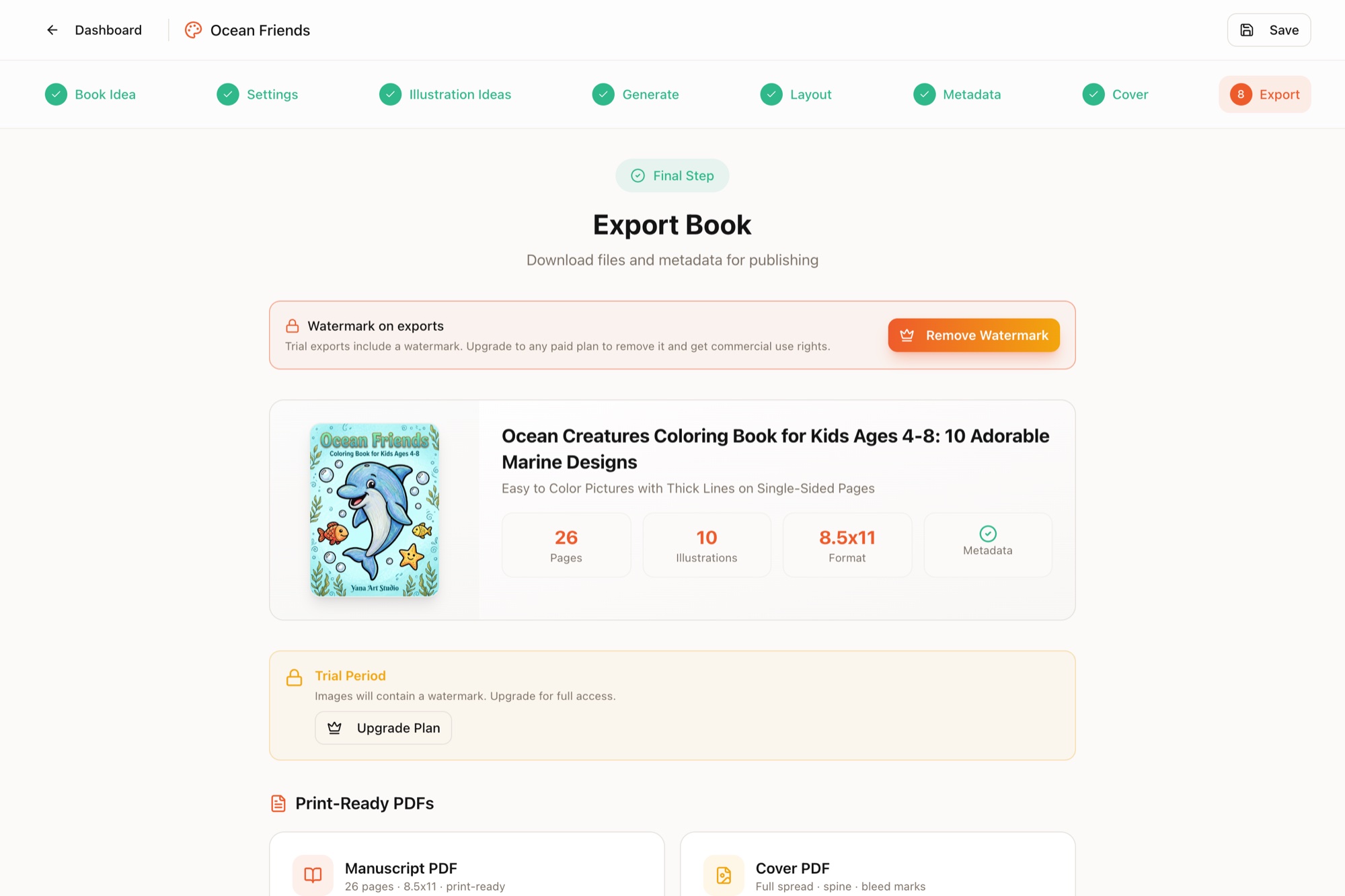
- Language, title, subtitle. Put your main keyword in the title naturally: "Ocean Animals Coloring Book for Kids Ages 4–8". Don't stuff.
- Author name. A pen name is fine and common for coloring books.
- Description. 2–3 short paragraphs plus a bulleted feature list (page count, single-sided printing, age range, page size).
- Keywords. Seven backend slots — these decide whether searches find you. They deserve real research: see how to fill all 7 KDP keyword slots.
- Categories. You pick up to three. Choose the most specific paths available, not the broadest.
Screen 2 — Paperback Content
- ISBN: click "Get a free KDP ISBN". You don't need to buy one.
- Print options: black ink, white paper, your trim size, no-bleed (unless your art runs to the edge), matte cover finish — the standard coloring book recipe.
- Upload manuscript and cover, then run the Print Previewer and fix anything it flags before continuing.
- AI content question: if your illustrations are AI-generated, answer truthfully during setup. Disclosure is required by KDP's content policy and doesn't block publication.
Screen 3 — Rights & Pricing
- Territories: "All countries" in almost every case.
- Price: royalty = 60% of list price minus printing cost. An 80-page 8.5×11" book at $9.99 earns about $3.15 per copy. Run your numbers with the examples in KDP royalties explained before defaulting to $6.99.
Step 6: Submit and Survive the Review
Hit publish and Amazon reviews the book — typically 24–72 hours. The common rejection reasons, in order of frequency:
- Interior size mismatch — PDF pages don't match the trim size selected.
- Content in the margin zone — art or page numbers too close to the edge.
- Cover/page-count mismatch — spine sized for a different number of pages.
- Low-resolution images — anything under 300 DPI gets flagged.
- Metadata violations — trademarked words or claims like "bestseller" in the title or keywords.
Every rejection email names the exact problem. Fix, re-upload, resubmit — there's no penalty for iterating.
Your First 30 Days After Going Live
- Order an author proof (printed at cost) and check line quality and margins physically.
- Search your own niche keyword and note where you rank; give Amazon 1–2 weeks to settle your placement.
- Gather early reviews honestly — tell friends and communities the book exists; never pay for or trade reviews.
- Start book #2. KDP rewards catalogs, not single titles. Publishers with 10+ niched books almost always out-earn one-book perfectionists.
Frequently Asked Questions
How much does it cost to publish on Amazon KDP?
Nothing upfront. KDP has no listing, upload, or setup fees — Amazon takes its cut from each sale through the printing cost and royalty split, so you only give up money when a book actually sells. You don't need to buy an ISBN either; KDP assigns one for free. Optional costs are things like keyword research tools and Amazon Ads.
Do I need a business license or LLC to publish on KDP?
No. You can publish as an individual using your personal tax information — you'll complete a guided tax interview during account setup. Many publishers form an LLC later once income becomes consistent, but Amazon doesn't require one to start.
How long does KDP review take for a new book?
Typically 24–72 hours for a new paperback. Reviews can run longer during Q4 holiday season. If your book has been 'In Review' for more than 72 hours, contact KDP support through your dashboard.
Can I publish on Amazon KDP from outside the US?
Yes. KDP accepts publishers from most countries, pays by direct deposit in many local currencies, and the tax interview applies your country's tax-treaty rate automatically. Non-US publishers without a treaty are subject to up to 30% US withholding on US sales.